
Google Ads remains the fastest and most reliable way to place your business in front of people in Botswana who are ready to buy. With Google holding over 90% of the local search market and daily internet use continuing to grow across the country, PPC gives you immediate visibility where intent already exists. When your account is clean, your keywords are focused, and your tracking is correctly installed, you can generate leads this week—not next month.
This guide gives you a clear, Botswana-specific blueprint to move from zero to live ads. You’ll learn how to structure your account properly, select high-intent keywords, avoid common money-wasting settings, and launch a campaign with measurable, trackable results. Everything here is practical, tested, and built for SMEs working with real budgets.
Who this is for: SMEs, startups, and side hustles in Botswana that need a practical, step-by-step guide to get results quickly. If you prefer an expert to handle strategy, setup, copywriting, tracking, and weekly optimization, our team at Lephutshi Developers (Google Ads Management) can manage everything end-to-end.
Why Google Ads in Botswana?
Two realities define the opportunity:
- Google completely dominates search in Botswana. When customers look for plumbers, clinics, solar installers, lawyers, schools, or web designers, they use Google first. Being visible on those searches drives actual buyers to your business.
- Internet use is fully mainstream. Millions of people browse the web daily, compare services, and make purchase decisions online. If your business does not appear when they search, your competitors will.
The benefit: Google Ads lets you show ads only to people actively searching for what you offer. You control your spend, measure your results, and adjust your strategy whenever needed.
Local advantage: In Botswana, tightly targeted campaigns outperform broad ones. Focus your ads on the exact cities you serve—such as Gaborone, Francistown, Maun, Palapye, Tlokweng, or Mogoditshane—to stretch your budget and improve conversion rates.

Prerequisites: Email, Website, Billing, and Tracking
Before clicking Start now, prepare these essentials. It prevents setup errors, protects your budget, and ensures every click is measurable.
1. Business email
- Use a dedicated email such as
ads@yourdomain.co.bwlinked to a Google account your business owns. - Always keep primary admin access. Agencies or contractors should be invited, not given full ownership.
2. Website & landing pages
- Speed: Your pages should load in under 3 seconds. Compress large images and use clean layouts.
- Clarity: Create a separate landing page for each service. Each page should have a clear headline, short description, and a single main CTA.
- Trust: Display a Botswana phone number, operating hours, genuine photos, and working WhatsApp buttons.
- Forms: Collect only essential details (name, phone, email, service needed). Short forms convert better.
3. Billing method
- Use a valid Visa or Mastercard capable of online payments. Ensure the billing address matches the card’s statement address.
- Choose the correct currency and time zone. These cannot be changed later without creating a new account.
- For businesses working with agencies, it is recommended that you own the billing profile for transparency.
4. Tracking & analytics basics
- Create a Google Analytics 4 (GA4) property and connect it to your site.
- Define what counts as a conversion—form submissions, calls, WhatsApp clicks, bookings, or purchases.
- Ensure you can access your CMS (WordPress/Elementor) to install the Google tag or use Google Tag Manager.
Account Setup: Create Your Google Ads Account (the right way)
- Visit ads.google.com and click Start now.
- Skip Smart Mode. At the bottom of the setup page, click Switch to Expert Mode to unlock full control.
- Select your time zone and currency carefully. These settings are permanent.
- Enter billing details using your official business information. Incorrect details may cause payment verification issues.
- (Optional) Create a Manager Account (MCC) if you oversee multiple brands or want a centralized dashboard.
Pro tip: Keep ownership of your main Google Ads account. Grant agencies access through their manager ID so you maintain administrative control at all times.
Campaign Blueprint: Search vs. Performance Max vs. Demand Gen
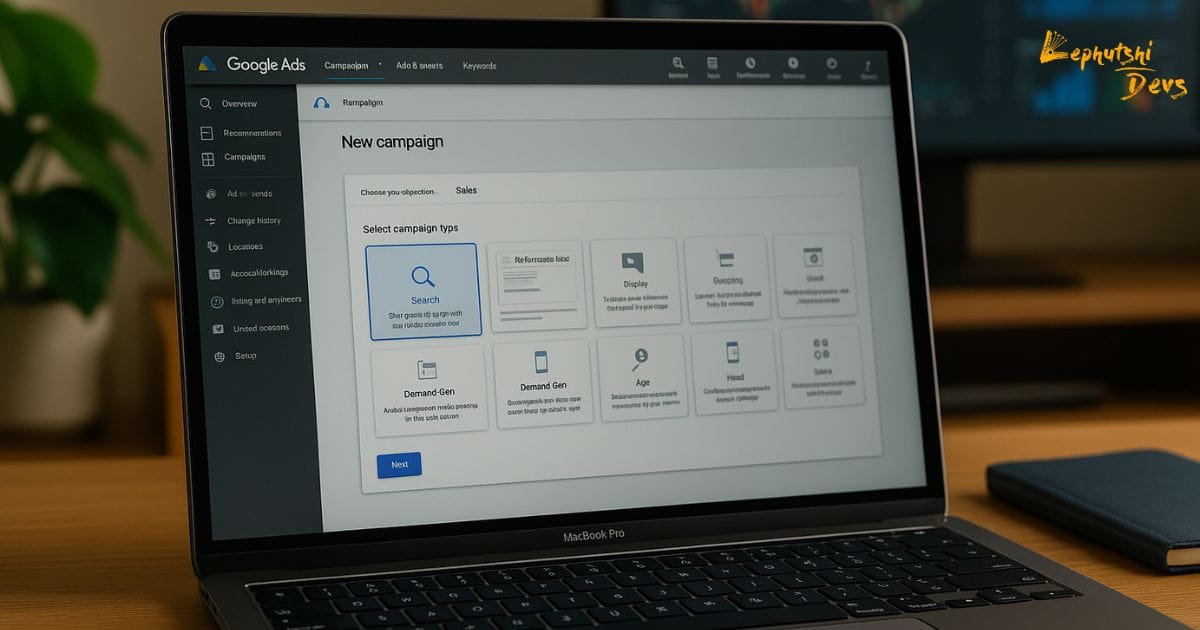
When you click New campaign, Google will give you multiple campaign types. Choose based on your goals and available data:
- Search Campaign: Best for service-based businesses needing leads, calls, or bookings. You target keyword searches like “borehole drilling gaborone”, “solar installer near me”, or “law firm botswana”.
- Performance Max (PMax): Uses Google automation to run across Search, Maps, YouTube, Discover, Gmail, and Display. Works well once you have consistent conversion data and strong creative assets.
- Demand Gen: Ideal for brands that want to build awareness with visual placements across YouTube-style surfaces. Works well if you have high-quality images or video content.
Best choice for beginners: A single, tightly focused Search campaign. Expand into PMax later once your tracking is clean and your keywords prove where demand is strongest.
Need assistance launching your first campaign? Contact our Google Ads management team for step‑by‑step support.
Create Your First Search Campaign (step-by-step)
Use these steps if your primary goal is to generate leads (calls, messages, or form submissions) from people searching in Botswana.
- Objective: Select Leads. Choose Search as the campaign type.
- Conversions: Select or create the conversion actions you want Google to optimize for—such as form submission or call.
- Networks: Uncheck “Include Google Display Network.” Keep your Search campaigns focused.
- Locations: Select only the cities you serve. Then open Location options and select Presence: people in or regularly in your targeted locations. This stops irrelevant clicks from outside Botswana.
- Language: Choose English (and any additional languages used on your website).
- Budget: Start with a small but focused budget (e.g., P70–P200/day). Focused spending outperforms scattered spending.
- Bidding:
- New accounts without conversion data: Use Maximize Clicks with a CPC cap OR start with Manual CPC.
- Accounts with 15–30+ conversions: Switch to Maximize Conversions or Target CPA for better automation.
- Ad groups: Group keywords into themes. Example for a solar installer:
- Solar water pump installation
- Off-grid solar systems
- Solar battery storage
- Keywords: Add 5–20 high-intent keywords per ad group. Begin with phrase and exact match. Add negative keywords immediately.
- Ads: Create 1–2 Responsive Search Ads with 15 headlines and 4 descriptions. Write headlines that reinforce value, trust, and location relevance.
- Assets (Extensions): Add sitelinks, callouts, call assets, and (optionally) a lead form asset for faster mobile conversions.
- Publish your campaign and ensure conversions are tracking before increasing your budget.
Critical Settings: Bidding, Budget, Location, Schedule, Devices
1. Bidding
Match your bidding strategy to your account’s maturity:
- Brand new accounts: Start with Maximize Clicks (with a CPC cap) or Manual CPC to learn which search terms actually convert.
- Accounts with clean conversion data: Transition to Maximize Conversions or Target CPA for better automation.
Note: Smart Bidding relies on stable, real conversions. Avoid switching too early.
2. Daily budget (Botswana context)
- P70–P200/day is enough for most local service businesses if your geo-targeting and keywords are focused.
- Google may spend up to double your daily budget on certain days but will average it out monthly.
3. Location targeting
- Target only cities and areas you serve: Gaborone, Tlokweng, Mogoditshane, Francistown, Maun, Palapye, etc.
- Update the advanced setting to Presence to avoid unwanted traffic.
- Exclude irrelevant areas if you have a strict service radius.
4. Ad schedule
- Begin with 7 days, 6am–9pm. Adjust based on actual conversion hours.
- If your business cannot handle evening calls, restrict call-heavy campaigns to daytime.
5. Devices
- Most conversions in Botswana come from mobile. Ensure your website, forms, and WhatsApp buttons work perfectly on phones.
- Use bid adjustments later if desktop traffic is less profitable.

Keywords & Match Types (plus negatives you must add)
1. How to find your first keywords
- List your core services (3–5). Example: web design, solar installation, borehole drilling, security systems, clinic services.
- Add locations: Gaborone, Francistown, Maun, Palapye, Tlokweng, Mogoditshane.
- Layer intent modifiers: near me, best, price, hire, quote, book, company.
Examples:
- “web design gaborone”
- “solar water pump installation botswana”
- “borehole drilling maun”
- “clinic near me gaborone”
- “vehicle tracking palapye”
- “plumber near me gaborone”
2. Match types that work
- Exact:
[web design gaborone](tight control) - Phrase:
"web design gaborone"(good balance) - Broad:
web design gaborone(use only after establishing strong negative lists and conversions)
Begin with phrase + exact. Add controlled broad match later once your data is reliable.
3. Mandatory negative keywords
Add these negatives at the campaign level to avoid wasted spend:
- Jobs: vacancy, career, internship, salary
- DIY: tutorial, how to build, free course
- Student content: assignment, notes, syllabus
- Irrelevant locations if needed
- Competitor brand names (avoid policy violations in ad copy)
4. Structure that scales
- 1 campaign = 1 primary goal (e.g., leads for Web Design Gaborone).
- Ad groups based on themes with 5–20 keywords per group.
- One landing page per theme for stronger relevance and Quality Score.
Write High-Quality Responsive Search Ads (RSAs)
RSAs allow Google to test combinations of up to 15 headlines and 4 descriptions. Your job is to provide strong, relevant options that reinforce your value and location.
RSA checklist
- Include the main keyword + city in several headlines.
- Show clear value: fast turnaround, transparent pricing, professional service.
- Highlight trust signals: local team, years of experience, verified reviews.
- Use strong CTAs: Get Quote, Book Now, Call Today.
Sample RSA (Lephutshi Developers – Web Design)
Headlines (up to 15)
- Web Design in Gaborone
- Fast Mobile-Optimised Sites
- Transparent Pricing (Pula)
- Local Support for SMEs
- WhatsApp for Quick Quotes
- SEO-Friendly WordPress Sites
- 7–14 Day Delivery Times
- Professional Business Websites
- Secure Hosting & Maintenance
- View Our Portfolio
- Lead-Optimised Pages
- Reliable Local Web Developers
- Ecommerce Website Design
- Improve Your Online Presence
- Get a Proposal Today

Descriptions (up to 4)
- Professional WordPress websites for Botswana businesses. Clear pricing, fast delivery, and reliable local support.
- Start attracting customers today with a website designed to convert. Book a quick discovery call.
Pro tip: Pin only essential headlines. Over-pinning reduces Google’s ability to test combinations.
Ad Assets (sitelinks, callouts, call, lead forms)
Assets improve visibility and can dramatically increase click-through rate. Add at least the following:
- Sitelinks: Pricing, Portfolio, Reviews, Contact, FAQ
- Callouts: Free Quote, Local Team, Fast Turnaround, Warranty
- Call asset: Add your Botswana business number with call reporting enabled.
- Lead form asset: Useful for mobile traffic. Keep it short (Name, Phone, Service).
Tip: If your business has a verified Google Business Profile, add a Location asset to show your address and map pin in ads.
Tracking & Conversions: GA4, Google tag, and Enhanced Conversions
1. Link GA4 & Google Ads
- In Google Ads: Tools & Settings → Linked Accounts → Google Analytics (GA4).
- In GA4: Mark events like
generate_leadorpurchaseas Conversions. - Back in Google Ads: Import conversions from GA4 or configure them using the Website option with the Google tag.
2. Install the Google tag (gtag.js)
- Add it to your site header or via Google Tag Manager.
- Verify installation using the Tag Assistant extension.
3. Enhanced Conversions
Enable Enhanced Conversions to help Google better match leads by securely hashing first-party data like email or phone from your lead forms.
4. Track calls effectively
- Enable Call from ads conversion tracking.
- Consider using dedicated tracking numbers on your landing pages to match calls back to keywords.
Conclusion
Google Ads delivers results in Botswana when your campaigns are focused, your keywords are intentional, your targeting is tight, and your tracking is accurate. With the setup and structure outlined above, you now have a clean, optimized foundation for generating consistent leads. Continue refining your search terms, testing new ads, improving your landing pages, and strengthening your conversion data. Small, consistent improvements lead to long-term profitability.
If you’d prefer a certified team to manage your strategy, setup, copy, tracking, and weekly optimization, Lephutshi Developers can help you build campaigns that perform from day one.
Recommended Reading
- Google Ads in Botswana: A Comprehensive Beginner’s Guide for PPC & ROI
- Official Google Tutorial: How to Set Up Google Ads Properly