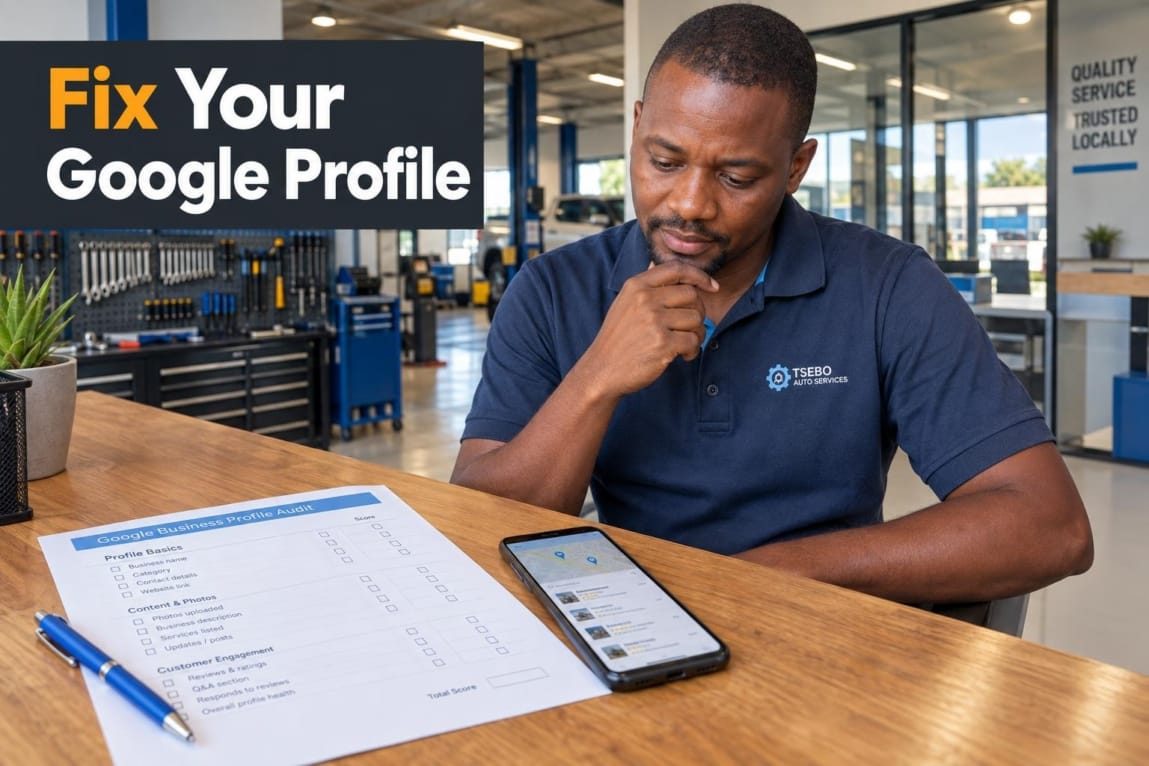
To optimize your Google Business Profile (GBP), make your business information accurate, complete, and consistent; choose precise categories; show the real business through services, photos, and reviews; and keep the profile aligned with your website. For Botswana businesses, this is often where a mobile search becomes a call, a WhatsApp enquiry, a direction request, or a visit.
A strong profile will not guarantee a place in the Google Maps 3-Pack. Google says local results are mainly based on relevance, distance, and prominence. But complete information, helpful reviews and replies, and quality photos can help customers understand and choose your business. This guide gives you a practical 100-point framework to find the gaps worth fixing first.
Why Google Business Profile Optimization Dictates Local Discovery
Local search has a different job from a standard organic result. When someone searches for a plumber in Gaborone, a dentist in Francistown, or accommodation services in Maun, they may need a solution now. The map results give them a fast route to compare locations, opening hours, phone numbers, ratings, photos, and directions.
That makes a Google Business Profile one of your most visible local trust assets. A customer on a phone may never reach page two of search results; they may call the first suitable business whose profile answers their questions clearly.
Google’s local ranking guidance explains the three broad factors behind local visibility: relevance, distance, and prominence. You cannot control a searcher’s location, but you can help Google and customers understand what you offer, where you operate, and why your business is credible.
Think of GBP optimization as reducing uncertainty. Can a customer tell what you do, whether you serve their area, when you are open, how to contact you, and whether other people have had a good experience? If not, a competitor with clearer information may win the enquiry.
The 100-Point Google Business Profile Optimization Scorecard
This is a practical self-audit, not a Google-issued ranking formula. Score each item honestly, then fix the lowest-scoring high-impact basics before spending time on cosmetic changes. A profile below 60 usually needs core cleanup; 60–79 has meaningful conversion and trust gaps; 80+ indicates a solid foundation that still needs maintenance.
| Audit category | Specific optimization check | Points available | Common failure mode |
|---|---|---|---|
| Core information | Real-world business name, correct primary category, relevant secondary categories, accurate phone, website, hours, address or service area | 30 | Keyword-stuffed name, vague category, mismatched contact details |
| Offerings and media | Useful description, complete services or products, genuine photos, clear customer-facing details | 25 | One generic service entry and stock images only |
| Trust and reputation | Ethical review process, recent genuine feedback, thoughtful owner responses, monitored Q&A | 25 | Only asking friends for reviews or ignoring complaints |
| Ongoing activity and signals | Posts, special hours, monthly accuracy checks, monitored edits and links | 20 | Setting up the profile once and leaving it unattended |
How to use the score: award points only when the information is complete, accurate, and useful to a real customer. A filled field with misleading or thin content does not earn full marks.
Core Business Information: Getting the Fundamentals Right (30 Points)
These settings establish the identity and location signals that Google and customers rely on. Work through them before publishing more posts or chasing reviews.
Business Name and Keyword Policy
Score: 6 points. Use the name your customers see in the real world: on permanent signage, branding, invoices, and your website. Do not add extra phrases such as “Best Web Design Gaborone,” phone numbers, service lists, or locations merely to target searches.
For example, “Motswana Auto Repairs” may be appropriate if that is the established trading name. “Motswana Auto Repairs – Best Mechanics in Gaborone, Tyres and Diagnostics” is likely to create policy and suspension risk if those extra words are not genuinely part of the public-facing name. Check Google’s guidelines for representing your business before editing a name, category, address, or map pin.
Primary and Secondary Categories
Score: 7 points. Select the category that most specifically describes your main customer-facing activity. A law firm should use the closest available legal category for its principal service, not a broad category simply because it has more search volume. Add secondary categories only for substantial services that customers can actually obtain from you.
Review the categories used by legitimate local competitors for ideas, but do not copy them blindly. Categories should describe your business, not every phrase you want to rank for. Google advises choosing the fewest categories needed to describe your core business.
Address Nuances, Plot Numbers, and Service Areas
Score: 10 points. A storefront or office where customers can visit during stated hours should show its accurate physical location. In Botswana, that may mean carefully entering a plot number, building name, ward, suburb, and city, then confirming that the map pin is placed at the actual entrance or premises. For example, do not use “Gaborone” alone when “Plot [number], Gaborone West, Gaborone” is the detail customers need to find you.
If you operate from home, travel to customers, or deliver without receiving customers at your address, set up as a service-area business and hide the address. Define only the named cities, towns, or areas you genuinely serve, such as Gaborone, Phakalane, Mogoditshane, Francistown, or Maun where relevant. Google’s service-area business guidance says service-area businesses should use named areas rather than a radius and can select up to 20 service areas.
Do not create separate profiles for every place you would like to serve. Use one eligible profile for the actual business and an accurate service area. This is safer for customers and less likely to create verification or duplicate-profile problems.
Contact Details, Hours, and Description
Score: 7 points. Use one business phone number consistently on the profile and website. If you publish a Botswana mobile number, keep its formatting readable and use the same version wherever practical. Make it easy for a customer to move from a Google search to a call or WhatsApp conversation without wondering whether they have reached the right business.
Add normal hours and update special hours before public holidays, planned closures, or temporary changes. Write a plain-language description that explains who you help, your main services, service location, and a useful differentiator.
Helpful: “We provide residential and commercial electrical installation, repairs, and maintenance for customers in Gaborone and surrounding areas. Contact our team for scheduled site visits and quotations.”
Unhelpful: “Best electrician Gaborone electrician Botswana cheap electrical repairs 24/7 top electricians near me.”
The first version helps people decide. The second reads like spam and offers little evidence of the actual service.
Enhancing Your Visual and Service Footprint (25 Points)
Once the fundamentals are correct, make the profile useful to someone comparing options. This part of Google business optimization is less about adding everything possible and more about showing clear evidence of what a customer can buy or book.
Service Menus and Product Catalogs
Score: 12 points. List individual services rather than relying on one broad statement. A contractor might list bathroom renovations, roof repairs, paving, painting, and site assessments. An accounting practice might list bookkeeping, tax-related support, payroll administration, and company registration assistance only where those are genuine offerings.
- Use a customer-friendly service title.
- Add a short explanation of what is included or who it suits.
- Use a starting price only when it is current and genuinely useful.
- Use local references naturally, not repeatedly.
- Keep availability and website details aligned with the profile.
For retail businesses, products can help customers recognise stock lines and enquire before visiting. For quote-led services, a well-structured service menu is usually more useful than publishing a price that will vary by site conditions.
Genuine Photography vs Stock Visuals

Score: 13 points. Real photos reduce doubt. Add a clear exterior or entrance photo where customers visit you, an interior or reception view, team-at-work images, equipment or vehicles where relevant, and examples of completed work with permission. A lodge, salon, medical practice, retailer, workshop, or professional office should help a first-time visitor recognise the actual premises.
A practical starting rhythm is to add new, relevant images whenever there is a meaningful change, new completed work, seasonal offering, or fresh team activity. This is an editorial recommendation, not a required Google ranking cadence. Do not rely on embedded image geo-tags as a ranking tactic; Google does not identify them as a confirmed local ranking factor.
Use well-lit, authentic JPG or PNG images and follow Google’s Business Profile photo and video requirements for current technical specifications. Avoid images with misleading text overlays, irrelevant stock scenes, or photos that create a false expectation of your premises or work.
Trust Signals: Managing Customer Reviews and Local Reputation (25 Points)
Reviews are both a trust decision and an operational feedback loop. Google notes that review count, positive ratings, and helpful business responses can help a business stand out in local results, but no review tactic guarantees rankings. Focus on earning honest feedback through reliable service and making it easy for genuine customers to respond.
An Ethical Framework for Requesting Customer Reviews
Score: 15 points. Ask soon after the customer has received the outcome: after a completed repair, delivered product, successful appointment, or resolved support request. Use the review link or QR code supplied in your verified profile, and send the same invitation process to all suitable recent customers rather than filtering for people you expect to praise you.
You can adapt this WhatsApp message: “Thank you for choosing us. If you have a moment, please share an honest review of your experience on Google. Your feedback helps other customers understand our service: [review link].”
Do not offer cash, discounts, free items, or entry into a prize draw for a review. Do not demand five stars, provide a script with keywords, or direct unhappy customers somewhere else while only asking satisfied customers to review publicly. Follow Google’s policy on genuine, non-incentivized reviews.
Responding to Positive and Negative Reviews
Score: 10 points. Reply to reviews in a human, privacy-conscious way. For positive feedback, thank the reviewer, refer generally to the service they mentioned, and invite them back where appropriate. Avoid copying the same reply to every customer.
For a negative review, use this sequence:
- Thank the person for raising the issue.
- Acknowledge the concern without arguing or disclosing private details.
- State the next constructive step, such as checking the job record or inviting offline contact.
- Resolve the matter privately where possible, then improve the underlying process if needed.
Example: “Thank you for bringing this to our attention. We are sorry that your experience did not meet expectations. Please contact us on [phone number] with your booking details so we can investigate and work toward a resolution.” Verified owners can reply publicly, create review-request links, and report policy-violating content through Google’s instructions for managing and replying to reviews. A disagreement alone is not proof that a review will be removed.
Maintaining Momentum: Weekly and Monthly Profile Signals (20 Points)
A profile is not a once-off directory listing. Give it a light but disciplined maintenance routine so customers do not encounter stale offers, closed doors, disconnected numbers, or incorrect links.
Publishing Google Updates (Posts)

Score: 10 points. Use posts when you have a genuine update: a seasonal service, a new product line, a limited-time offer with clear terms, an event, a completed project, or a useful customer reminder. Include one clear image, a concise message, and a relevant action such as calling, booking, or visiting a page.
A weekly or fortnightly posting routine can help a busy business keep its public information fresh, provided each update is useful. Do not turn every post into repetitive sales copy. Google’s guidance on creating Business Profile posts explains available post types and notes that posts older than six months are archived unless a date range is set.
If your team lacks capacity to keep website, social, and local updates accurate, content planning and creation support can help create a sustainable calendar rather than a burst of disconnected promotions.
Regular Hours, Special Hours, and Information Audits
Score: 10 points. Set a monthly reminder to check your phone number, website URL, directions pin, services, appointment links, and customer questions. Before holidays or unusual operating periods, add special hours rather than leaving customers to guess.
- Weekly: check new reviews, questions, messages, and suggested edits.
- Monthly: verify contact details, hours, links, services, and recent photos.
- Quarterly: review categories, assess competitor changes, and update your offers or service descriptions where the business has genuinely changed.
Aligning Your Google Profile with Your Website
Your profile and website should confirm the same business facts. Use the same business name, address or service-area wording, primary phone number, hours, and core services across your contact page, website footer, and GBP. Small inconsistencies can confuse customers and make it harder to maintain trust.
For a multi-location business, create a useful page for each real location rather than thin pages targeting every town in Botswana. Each location page should show accurate local contact details, opening information, relevant services, and directions. A service-area business can explain the areas it serves without pretending to have offices there.
Developers can also add the most specific appropriate LocalBusiness schema to eligible on-page business information. See Google’s LocalBusiness structured-data documentation for implementation guidance. Schema helps Google interpret website information; it is not a substitute for an accurate profile and does not guarantee Maps visibility.
When your website and GBP tell different stories, fix that foundation before pursuing advanced tactics. Businesses that need help connecting technical SEO, local landing pages, and profile information can explore Botswana SEO and local visibility services as an optional next step.
Common Google Business Profile Mistakes Botswana Businesses Make
- Using inconsistent phone formats: A customer may see one number on Google and another on the website. Choose a primary business number and apply it consistently.
- Adding locations to the business name: This often happens when owners want to appear in more searches, but it can breach naming rules when the location is not part of the real-world brand.
- Showing a home address to walk-in customers: If customers do not visit there, hide the address and use a genuine service area instead.
- Claiming unrealistic service areas: Listing every major town can create poor customer expectations. Name only areas you can serve reliably.
- Ignoring customer questions and suggested edits: Third parties can suggest changes. Check the profile regularly and correct inaccurate information promptly.
- Using only stock photos: Attractive generic images may look polished, but they do not help a customer identify your actual premises, team, or work.
- Buying or filtering reviews: This creates policy risk and can undermine trust. Build a repeatable request process around genuine completed customer experiences.
- Linking to a weak or irrelevant page: Send visitors to the page that best matches the profile’s location and main service, not a generic homepage with no contact detail.
Conclusion and Next Steps for Your Local Visibility
To optimize your Google Business Profile, start with the highest-value basics: a real-world name, precise categories, a valid storefront or service-area setup, consistent contact details, useful services, genuine photos, and an ethical review process. Use the 100-point scorecard to identify the gaps that make it harder for local customers to choose you, then maintain the profile as your business changes.
If your score reveals conflicting information, verification issues, or a disconnect between your website and profile, Lephutshi Developers can help you request a Google Business Profile and local visibility assessment and identify practical priorities for attracting qualified local enquiries.
FAQ
- How long does it take to see results after optimizing a Google Business Profile?
Some profile changes can appear after Google processes them, but meaningful local visibility changes often take weeks or months. Timing depends on competition, your distance from searchers, business prominence, existing reviews, and whether your profile and website information are already accurate. - What should I do if my Google Business Profile gets suspended?
First, review the business name, category, address, service-area, and eligibility rules for possible violations. Gather proof that the business exists and operates as represented, then use the official reinstatement and verification process shown in your account. Do not create duplicate profiles while resolving the issue; follow Google’s current business verification guidance because available verification methods are determined for each profile. - Can I rank in Google Maps if I run a home-based business in Botswana?
Yes, an eligible home-based business can appear in local results as a service-area business. Hide the home address if customers do not visit it, choose the named areas you genuinely serve, and complete the rest of the profile accurately. Visibility still depends on relevance, distance, and prominence, so it is not guaranteed for every search. - What is the difference between a primary category and a secondary category?
Your primary category describes the main activity your business is known for, while secondary categories describe additional substantial services. Choose the most specific available primary category for your core business and add only secondary categories that genuinely apply. - How do I rank a Google Business Profile?
You cannot force a Google Business Profile to rank in the top map results. Improve your chances of being understood and chosen by keeping business information accurate, selecting relevant categories, earning genuine reviews, adding useful photos, maintaining hours and services, and aligning the profile with a locally relevant website.