
Facebook and Instagram ads can send Botswana customers straight into a WhatsApp chat, but a chat start is not yet a qualified lead or a sale. This guide shows you how to create WhatsApp ads on Facebook, set up the conversation properly, filter vague enquiries and track which chats become bookings, invoices or paid work.
Direct Answer: How Facebook-to-WhatsApp Ads Work
Facebook-to-WhatsApp ads, often called click-to-WhatsApp ads, show your offer on Facebook or Instagram and open a chat with your business when someone taps the call-to-action button. The prospect can see a prefilled message or choose a conversation prompt, giving your team immediate context instead of leaving you with an anonymous form submission.
This can suit Botswana businesses whose customers prefer to ask questions, confirm availability or arrange a visit by phone. The ad is only the first step: the offer should set expectations, the opening chat should gather useful details, and someone should own the follow-up. See Meta’s training on ads that click to WhatsApp for an official overview of the format.
- Ad: States what you sell, where you serve and the next action.
- Chat entry: Gives the customer an easy first message and prompts for key details.
- Qualification: Confirms need, location, timing, budget or product specifications.
- Handoff: Moves a suitable prospect to a quotation, call, site visit, invoice or payment process.
- Measurement: Records whether the conversation was qualified, won or lost.
Prerequisites: Connecting WhatsApp Business to Your Meta Assets
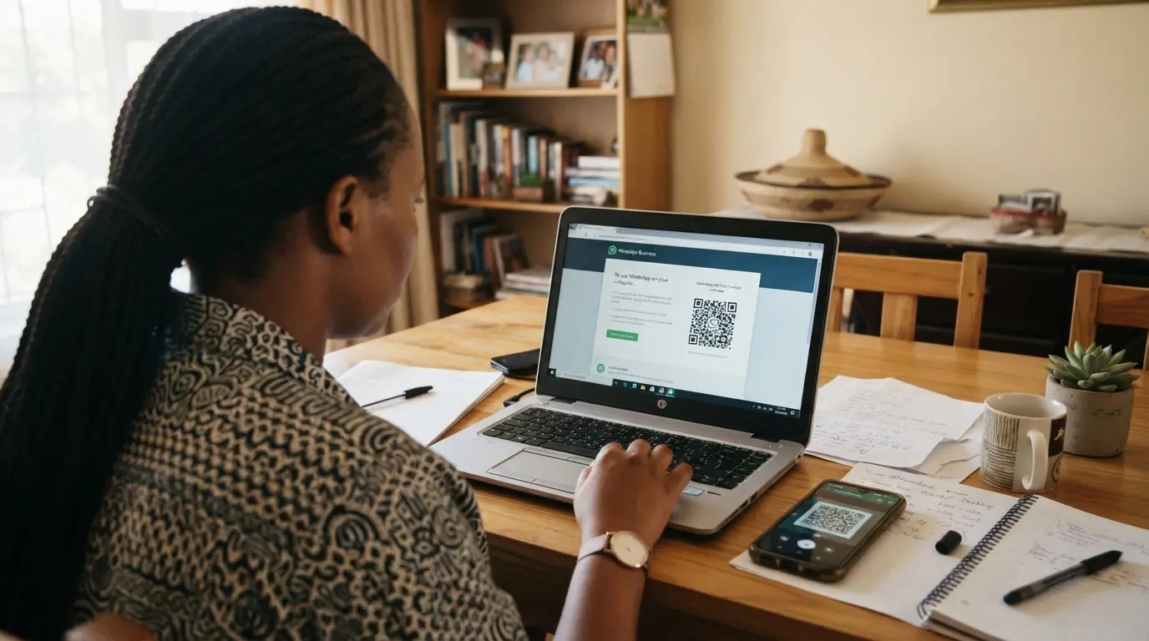
Before building an ad, prepare the number and business assets that will receive enquiries. The WhatsApp Business app is useful for small teams because it offers business tools such as greeting messages, quick replies and chat organisation; review the available WhatsApp Business app features before relying on them in your workflow. Availability can vary by account, device and rollout.
In your Facebook Page or Meta Business Suite, look for the option to add or connect a WhatsApp number, then follow the verification prompt. Enter Botswana numbers in international format with +267 and the correct mobile number. The person making the connection should have the necessary Page and business permissions. Meta’s onboarding screens and available messaging options can differ between accounts, so use the live prompts in your own account rather than relying on an old screenshot or a single fixed menu path.
Prepare these items first:
- A WhatsApp number that your sales team can monitor during business hours.
- Administrator-level access to the relevant Facebook Page and Meta business assets.
- A clear Page name, profile image and business description that match the ad.
- A verification code route that the number owner can access.
- A named person responsible for new chats, including after-hours handling.
If the code does not arrive, check the number format, signal and whether the number is already connected to another business setup. If the WhatsApp destination is missing in Ads Manager, confirm Page permissions and the connection status before rebuilding the campaign.
Step-by-Step: Setting Up the Campaign in Meta Ads Manager

Open Ads Manager and create a campaign. Choose the objective and conversion location that make sense for generating business conversations in the options shown to your account. Then select WhatsApp as the messaging destination where it is available, choose the connected number, build the audience and placements, set a budget, and create the ad with a clear message-driven call to action.
Meta continues to bring more WhatsApp business marketing activity into Ads Manager, but account availability and interface labels change. Check the current choices in your account and, where useful, review Meta’s Ads Manager update for WhatsApp business marketing. Date-check any internal training material or screenshots before using them.
- Set the business outcome. Decide whether you need more initial conversations, booked consultations, quotation requests or orders. Do not optimise only for cheap messages if the real goal is profitable work.
- Select a messaging setup. In the objective, conversion-location or performance-goal options available to you, choose the messaging route that sends people to WhatsApp.
- Choose the connected number. Confirm that the correct WhatsApp account appears before publishing.
- Build one focused ad set. Start with one service area and one offer so you can identify what produces qualified chats.
- Set a controlled test budget. A daily budget provides ongoing flexibility; a lifetime budget suits a fixed promotion period. Use an amount your business can test long enough to judge enquiry quality, not just a day of activity.
- Create the ad and chat template. Make the product, location, starting price or pricing basis, and next step clear before the customer taps.
- Test the full journey. Use a team member’s device to tap the ad, check the chat opens correctly and confirm that the first reply process works.
Choosing the Correct Messaging Objective
Some accounts present messaging under Engagement, while others may show lead-focused or messaging-app choices under Leads. Labels and performance goals can change. Treat the decision as an outcome choice rather than a permanent rule: use the available setting that is designed to produce the kind of WhatsApp conversation you need.
- Conversation-volume focus: Appropriate when you need people to start chats and your team can quickly qualify them.
- Lead-focused messaging option: Worth testing when it is available and your offer needs more structured information before a quote or booking.
- Do not assume lower cost means better value: Compare qualified conversations, quotes issued and won business, not only cost per messaging result.
Advantage campaign budget can help distribute spend across multiple ad sets, but it can also make early diagnosis harder. For a first test, keep the structure simple. Add more audiences or creatives only after you have a clear baseline.
Botswana Audience Targeting and Creative Strategy
Target the places you can genuinely serve. A Gaborone-based business may start with Gaborone and nearby service coverage; a tourism or accommodation offer may need a separate Maun campaign; a national supplier may test broader Botswana targeting only when delivery, installation and support can be handled nationally. Do not assume a particular radius or audience size will be available—check the estimates in your account.
Use language that your buyers understand, including clear English and locally familiar wording where appropriate. More importantly, make the ad self-qualifying. State the service area, what is included, the intended customer and a price, starting price or quotation basis where commercially sensible. A photo should show the actual product, service outcome or next step clearly, not a vague stock-style visual.
| Low-intent ad copy | Higher-intent alternative |
|---|---|
| “Quality renovations available. WhatsApp us now.” | “Kitchen cabinet quotations for Gaborone homes. Send your kitchen dimensions and suburb on WhatsApp to check availability.” |
| “Affordable tyres. Message for details.” | “Tyres for selected vehicle sizes. Send your tyre size and location on WhatsApp for stock confirmation and a quotation.” |
| “Book our services today.” | “Weekend makeup appointments in Francistown. Send your event date, number of clients and preferred time to check a slot.” |
The higher-intent examples do not promise a result. They simply tell the right buyer what information to provide and reduce the chance of a conversation ending at “is this available?”
Designing the Chat Entry: Prefilled Messages and Qualifying Icebreakers
A prefilled message should make it easy to start, but it should not do all the talking for the customer. Use it to identify the advertised offer, then ask for the one or two details that determine whether your team can help.
For example: “Hello, I am interested in your Gaborone office cleaning service. My premises are in [area] and I need service from 2026. Please send me a quotation.”
If your setup offers greeting prompts or icebreakers, use short choices that help sort demand. The exact character and button limits can change by product setup, so confirm them in the live interface rather than building your process around a fixed limit.
- Product or service: “I need a quotation for…”
- Location: “My area is…”
- Timing: “I need this by…”
- Specification: “My vehicle model / property size / quantity is…”
- Budget context: Use this only where it helps your team recommend a realistic option.
Do not ask for every detail in the first message. For a simple retail item, stock code, size and collection area may be enough. For a larger service, collect the basics first and schedule a call or site visit for the detailed brief.
Response Protocols: Five Reply Scripts and Handoff Rules
Fast, consistent follow-up protects the value of the ad spend. Set an internal target to acknowledge new messages promptly during advertised hours; a five-minute target can be a useful service-level goal for a staffed team, but it is not a universal conversion guarantee. If you cannot reply immediately, use a truthful greeting or away message that explains when a person will respond.
- Immediate acknowledgement: “Thank you for contacting [Business]. We have received your enquiry about [service/product]. I am checking the details now and will assist shortly.”
- Quick qualification: “To recommend the right option, please share your location, the quantity or size you need, and when you need it.”
- Pricing or scope: “Based on the details provided, the suitable option is [option]. The price is [price] / the quotation will cover [scope]. Would you like us to prepare the next step?”
- Objection handling: “I understand you are comparing options. The quoted amount includes [relevant inclusion]. If you share your priority—budget, timing or specification—I can confirm the closest fit.”
- Close to a concrete action: “I can reserve a consultation for [day/time], arrange a visit, or issue an invoice. Which option would you prefer?”
Assign one owner for each conversation. The ad manager may monitor quality, but a salesperson, receptionist or service coordinator should own the customer reply and update the outcome. Agree on escalation rules: who can approve a discount, who issues an EFT or mobile-money payment instruction, and who follows up when a quotation is unanswered.
If campaign setup, creative testing and the sales handoff need to work as one process, explore Meta and Facebook Ads management in Botswana for a coordinated support option.
Tracking WhatsApp Leads and Measuring Revenue Outcomes

Meta can report ad delivery and messaging results, but it cannot automatically know every conversation that became an EFT, point-of-sale invoice, booking or signed job. Create a small operating system around each chat so you can measure lead quality and revenue outcomes.
WhatsApp Business lets teams organise chats with labels, although some accounts are transitioning to the term “Lists.” WhatsApp documents up to 20 labels and the ongoing terminology change in its WhatsApp guidance on labels and lists. This organisation does not replace a CRM or send closed revenue back to Ads Manager automatically.
| Label or list | Meaning | Next action |
|---|---|---|
| New Lead | A chat has arrived but is not yet assessed. | Acknowledge and ask the first qualifying question. |
| Qualified | Need, location and timing fit the offer. | Prepare a quote, booking or stock confirmation. |
| Quotation Sent | Price or scope has been supplied. | Set a follow-up date and owner. |
| Awaiting Payment | The buyer has agreed in principle. | Send the correct invoice or payment instructions. |
| Won | Payment, booking or signed approval is confirmed. | Record revenue and source campaign. |
| Lost | The enquiry did not proceed. | Record a simple reason, such as price, location, timing or no response. |
Use a shared sheet at first. Give each qualified chat a date, campaign or ad name, customer need, quoted value, final outcome and loss reason. Your most useful calculation is not merely cost per chat; it is cost per qualified conversation: ad spend divided by conversations that meet your defined fit criteria. As volume grows, a custom landing page, quotation flow or CRM connection may be more practical than manual tracking. Businesses that need that wider implementation can request a website or digital marketing quote.
Troubleshooting Chats Without Qualified Enquiries
Diagnose the point where the journey breaks. More messages are not automatically better if the messages do not fit your service, your team cannot respond, or the offer is unclear.
| Problem | Likely cause | Practical correction |
|---|---|---|
| Many ad clicks but few chats start | The ad creates curiosity but the chat step feels unclear or inconvenient. | State what will happen after the tap, simplify the prefilled message and test whether the WhatsApp destination opens correctly on mobile. |
| Many “Is this available?” messages with no follow-up | The ad does not show enough context, or the team replies with another vague question. | Show the item, service area and availability basis. Reply with a specific question such as size, date or location. |
| People ask for prices already listed in the ad | The price is hard to notice, lacks context, or the buyer wants confirmation for their exact need. | Make the price or “from” basis visually clear, state inclusions, and confirm the relevant variation in chat. |
| Chats arrive but few become quotes | Qualification is inconsistent or no one owns the next action. | Use the same intake questions, label qualified chats and assign a quotation deadline. |
| Quotes are sent but sales remain low | The wider offer, follow-up, trust or fulfilment path may need attention. | Review lost reasons rather than repeatedly changing the audience alone. |
For a broader diagnosis beyond the WhatsApp setup itself, see why Facebook leads can fail to become sales. The right correction depends on where your own lead-to-sale process is breaking.
Action Plan: Launching Your WhatsApp Lead Campaign
Before launch, confirm the WhatsApp number is connected, the team can receive verification and new chats, the offer states who it is for, the service area is realistic, and the greeting asks for the minimum details needed to qualify. Test the full customer journey on a phone. Each week, review message volume, qualified conversations, quotations, won deals, lost reasons and response delays—not just the cost shown in Ads Manager.
DIY testing makes sense when you have a simple offer, a manageable service area and someone available to handle enquiries. When you need structured testing, clearer reporting and a lead process aligned with your sales team, Lephutshi Developers can help you plan the next stage through Meta and Facebook Ads management in Botswana.
Recommended Reading
- Facebook Ads Not Converting? 12 Lead-to-Sale Fixes
- Facebook Ads Cost in Botswana: Daily Budgets, Monthly Spend & Management Fees
FAQ
- How do I connect Facebook ads to WhatsApp?
Connect the WhatsApp number to your Facebook Page or Meta Business Suite, complete the verification prompt, then select WhatsApp as the messaging destination when creating an eligible campaign in Ads Manager. The exact menu labels can vary by account, so confirm the live options and that you have the required Page and business permissions. - How do I run Facebook ads to WhatsApp?
Create a campaign in Ads Manager, choose the available messaging-focused setup that supports WhatsApp, select the connected number, define your audience and budget, then create an ad with a WhatsApp call to action. Test the ad-to-chat journey before publishing and track qualified conversations after launch. - Can I run WhatsApp ads using a personal WhatsApp number?
Your account may show different onboarding options, so check the connection prompts available to you. For business enquiries, WhatsApp Business is usually the more practical choice because it provides tools such as greeting messages, quick replies and chat organisation that help a team manage sales conversations. - How do I generate leads on WhatsApp?
Generate better WhatsApp leads by matching a clear offer to a focused audience, stating location and pricing context in the ad, using a prefilled message that asks for key details, and replying quickly with a defined qualification process. Label chats as they move from new enquiry to quote, payment, won or lost. - How much do WhatsApp ads cost in Botswana?
There is no fixed Botswana price per WhatsApp conversation. Cost depends on the auction, audience, creative, campaign settings, offer and the quality of your follow-up. Start with a controlled test budget you can assess using qualified conversations and sales outcomes, then review Facebook Ads cost and testing budgets in Botswana for wider budgeting context.