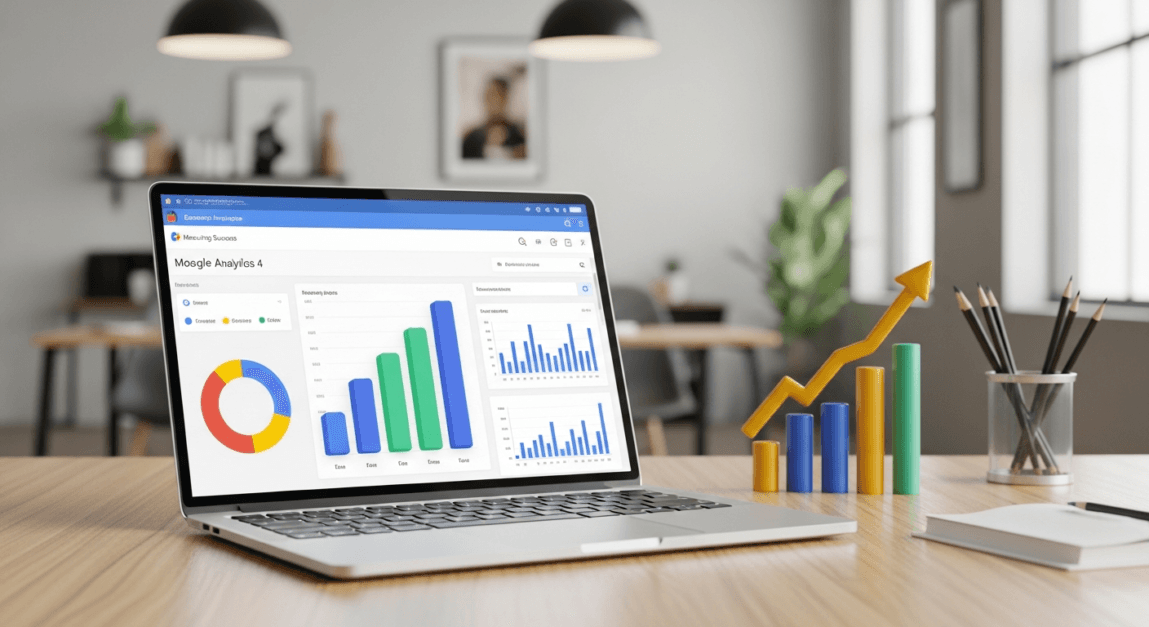

In today’s digital landscape, understanding your website’s performance is crucial for sustainable growth. Website analytics powers this understanding, enabling Botswana businesses to move beyond guesswork to see exactly how people find and use their services. By learning how to effectively analyze website traffic using Google Analytics, you can maximize your site performance and improve your lead generation efforts.
Whether you are running a retail shop in Gaborone or a tourism consultancy in Maun, knowing if your visitors are coming from Facebook, Google Search, or direct referrals allows you to spend your marketing budget more wisely.
Why Website Analytics Matter for Botswana SMEs
Website analytics offers insights into how users interact with your site, which is a vital step for any Botswana SME aiming for online success. By leveraging tools like Google Analytics 4 (GA4), you can uncover the nuances of visitor behavior and adjust your operations to meet user expectations.
There are many benefits of having a website for your business, but without data, you are flying blind. Prioritize measuring metrics that resonate with your specific goals—whether that is getting more WhatsApp inquiries, increasing ecommerce sales, or building an email list.
Setting Up Google Analytics 4 (GA4)

Google Analytics 4 (GA4) is the current standard for tracking. Unlike the old version, GA4 focuses on “events”—actions users take, like clicking a button or scrolling down a page. Transitioning to GA4 ensures your business keeps pace with evolving digital trends in Botswana’s expanding online market.
Step-by-Step GA4 Installation Guide
Before you begin, ensure you have a standard Google (Gmail) account. Follow these steps to get started:
- Navigate to the Google Analytics homepage and sign in.
- Click on ‘Create Account’ and enter your business name.
- Create a “Property” for your website and select your time zone (GMT+2 for Botswana) and currency (BWP – Botswana Pula).
- Follow the prompts to get your Measurement ID (it usually looks like G-XXXXXXXXXX).
- Link your website by adding the tracking code to your site header or using a plugin if you use WordPress.
If you find the technical setup overwhelming, contact Lephutshi Developers for professional assistance with installation and configuration.
Key Features of GA4 to Maximize Insights
GA4 introduces several enhancements that help you better track website traffic:
- Event-based data: Track specific actions like “WhatsApp Click” or “Form Submission.”
- Cross-platform insights: See how users move between your social media pages and your website.
- Enhanced measurement: Automatically tracks scrolls, outbound clicks, and site searches without extra coding.
Key Metrics to Watch: Beyond Just Pageviews

To analyze website traffic using Google Analytics effectively, you need to look at more than just the total number of visitors. Monitoring specific metrics allows you to tailor your web content for greater impact.
1. Users and New Users
Focus on tracking unique users to see your actual reach. If you have many returning users, it means your content is valuable. If you have high new users but low returns, you may need to improve your email marketing or social media engagement.
2. Engagement Rate vs. Bounce Rate
In GA4, Engagement Rate is often more useful than the old Bounce Rate. It shows the percentage of sessions that lasted longer than 10 seconds, had a conversion event, or had at least 2 pageviews. A low engagement rate usually means your page loads too slowly or the content doesn’t match what the user was looking for.
3. Average Engagement Time
This tells you how long people actually stay on your site. If you have a long blog post but people only stay for 5 seconds, they aren’t reading it. You might need better SEO copywriting to keep them interested.
Segmenting Traffic Sources: Where Do Your Customers Come From?
Understanding where your traffic originates enables informed marketing strategies. For a local business, knowing if your leads come from a business directory listing or a Facebook group is vital.
Identifying Main Traffic Channels
Use the Acquisition > Traffic Acquisition report in GA4 to see these common channels:
- Organic Search: Visitors who found you via Google. This is the result of good Search Engine Optimization (SEO).
- Direct: People who typed your URL (e.g., yourcompany.co.bw) directly into their browser.
- Organic Social: Traffic from Facebook, Instagram, or TikTok.
- Referral: Traffic from other websites or local directories.
Using Acquisition Data for Strategic Planning
If you see that 80% of your traffic comes from Facebook but has a very low conversion rate, you might want to invest more in Google Ads to capture people who are actively searching for your services.
Interpreting Data and Making Real-World Improvements

Data is only useful if it leads to action. For Botswana SMEs, this means looking at the data and making practical changes to how you handle leads.
Practical Example: The WhatsApp Lead Drop-off
Imagine a local hair salon in Phakalane that has a website. Their GA4 data shows 500 visitors a month to their “Services” page, but only 2 people click the WhatsApp booking button.
The Improvement: They realize the button is at the very bottom of a long page. By moving the “Book via WhatsApp” button to the top and adding a clear price list, their clicks increase to 30 per month. This is the power of using analytics to increase website traffic effectiveness.
Action Plan for Your Data
- Slow Pages: If data shows high mobile drop-offs, check your site speed. Many users in Botswana use mobile data, so your site must be lightweight.
- High Exit Pages: If people leave on your “Contact Us” page, the form might be too long. Shorten it or offer an direct WhatsApp link instead.
- Popular Content: If a specific blog post gets lots of hits, create more content on that topic to boost your SEO growth.
Conclusion: Master Your Data with Lephutshi Developers
Learning how to analyze website traffic using Google Analytics is the difference between hoping for customers and strategically attracting them. From the initial installation to creating data-driven action plans, every insight you gain helps you build a more profitable digital presence in Botswana.
Ready to grow your digital presence and get better results from your data? Request a Quote from our team today. Whether you need a high-converting website, expert SEO services, or professional Google Ads management, Lephutshi Developers is your local partner for digital growth.
Recommended Reading
- How to Start Google Ads in Botswana: Setup for Beginners
- Website Traffic Checker Tools & Techniques
- 10 Proven Ways to Increase Website Traffic in Botswana
- SEO vs SEM: Understanding the Difference
- [Official] Set up Google Analytics 4 for a Website
FAQ
How do I analyze traffic to my website?
The most effective way is to use Google Analytics 4 (GA4). It tracks where users come from, which pages they visit, and what actions they take (like clicking your phone number or WhatsApp link).
Is Google Analytics free?
Yes, Google offers a free version of Google Analytics that is more than enough for most Botswana SMEs and startups to track their performance.
What is a good engagement rate in GA4?
While it varies by industry, an engagement rate between 50% and 70% is generally considered good. If it is below 40%, you likely need to improve your page content or site speed.
How do I see if my Facebook ads are working in Google Analytics?
You can check the “Traffic Acquisition” report and look for “Organic Social” or use UTM parameters on your ad links to see exactly which Facebook campaign is driving the most traffic.